
Download BuddyFox – Free Firefox Chat Add‑on, Secure Instant Messaging
Overview
BuddyFox is a lightweight chat add‑on designed exclusively for the Mozilla Firefox browser. Its primary goal is to let users exchange instant messages without ever leaving the web page they are browsing. After a quick sign‑up process—just a username and password—users can start chatting with friends who also have the extension installed.
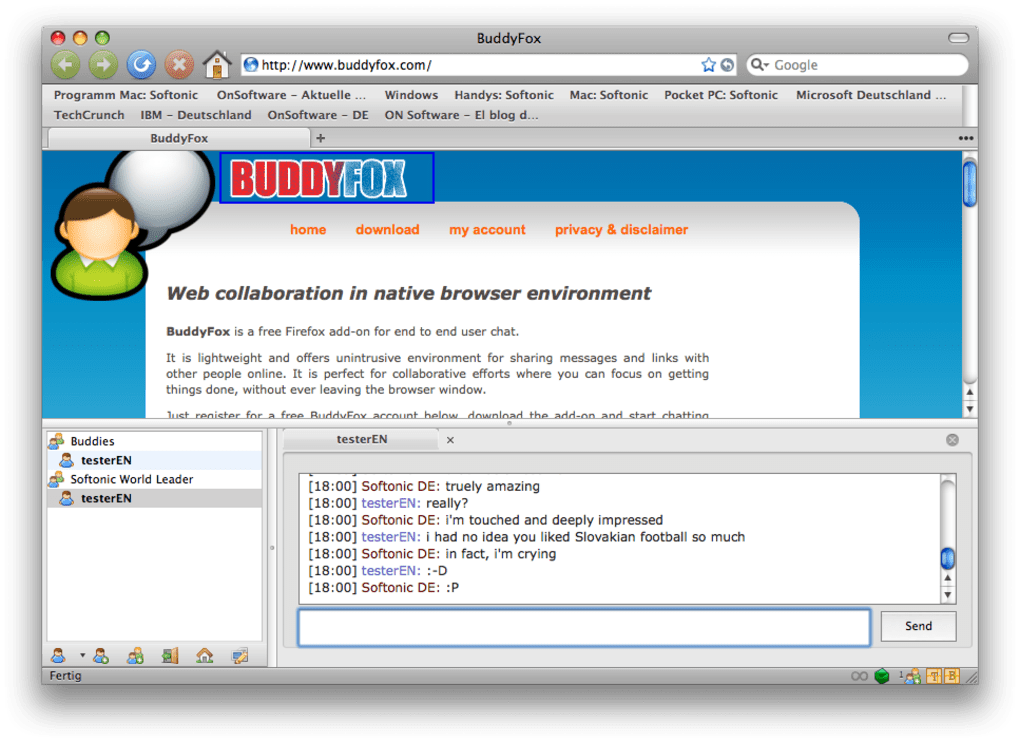
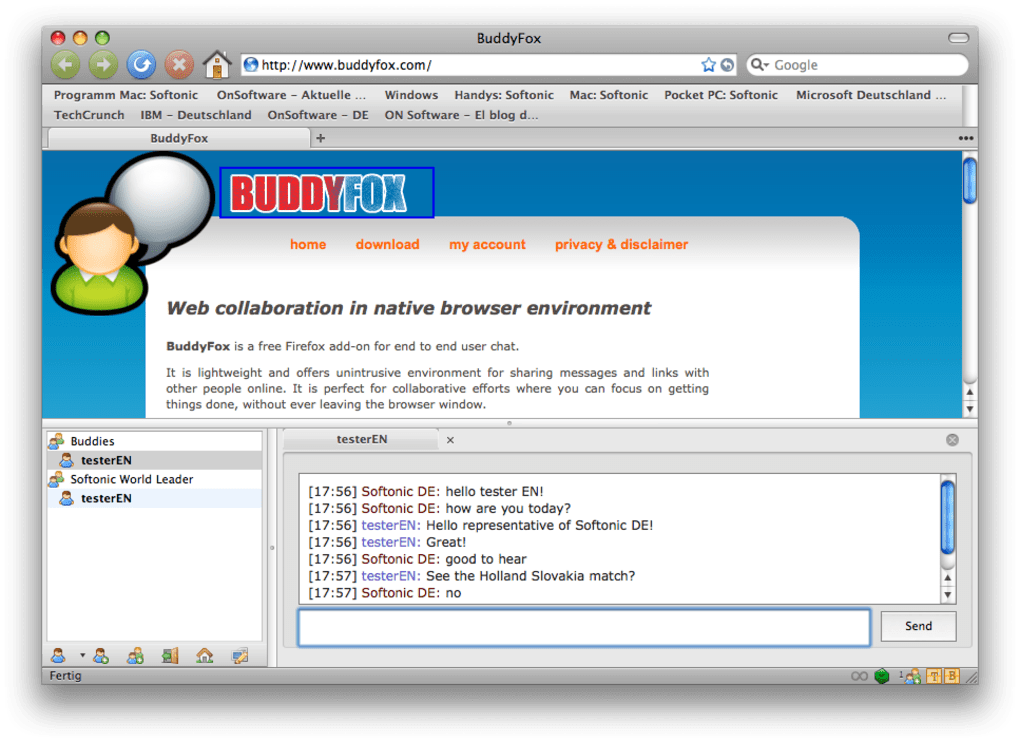
The interface is intentionally minimal: a small chat window slides out from the side of the browser, showing a contact list, a simple status selector (Online, Away, Appear Offline), and a basic text entry field. While the design may feel spartan compared with full‑featured desktop messengers, that simplicity is also BuddyFox’s biggest selling point. It consumes almost no memory, loads instantly, and integrates seamlessly with Firefox’s tabbed environment, meaning you never have to juggle another application while you surf the web.
The add‑on also offers a modest level of personalization, letting you pick the colour of your displayed username and create small group chats for quick collaboration. For users who already live in the Firefox ecosystem and need a quick, secure way to send a message without launching a separate client, BuddyFox fills that niche nicely. However, its usefulness hinges on a critical factor: a sufficient number of friends must also adopt the add‑on.
If your contacts are on other platforms or prefer standalone messengers, you’ll quickly run into the limitation of a closed‑circle chat solution.
Key Features
- Instant Browser‑Based Messaging: Chat directly from any Firefox tab without opening a separate program.
- Three‑State Presence: Simple status options—Online, Away, and Appear Offline—keep your friends informed of your availability.
- Custom Username Colours: Personalize how your name appears in the chat window for quick identification.
- Group Chat Creation: Form small groups for project discussions, gaming sessions, or casual conversation.
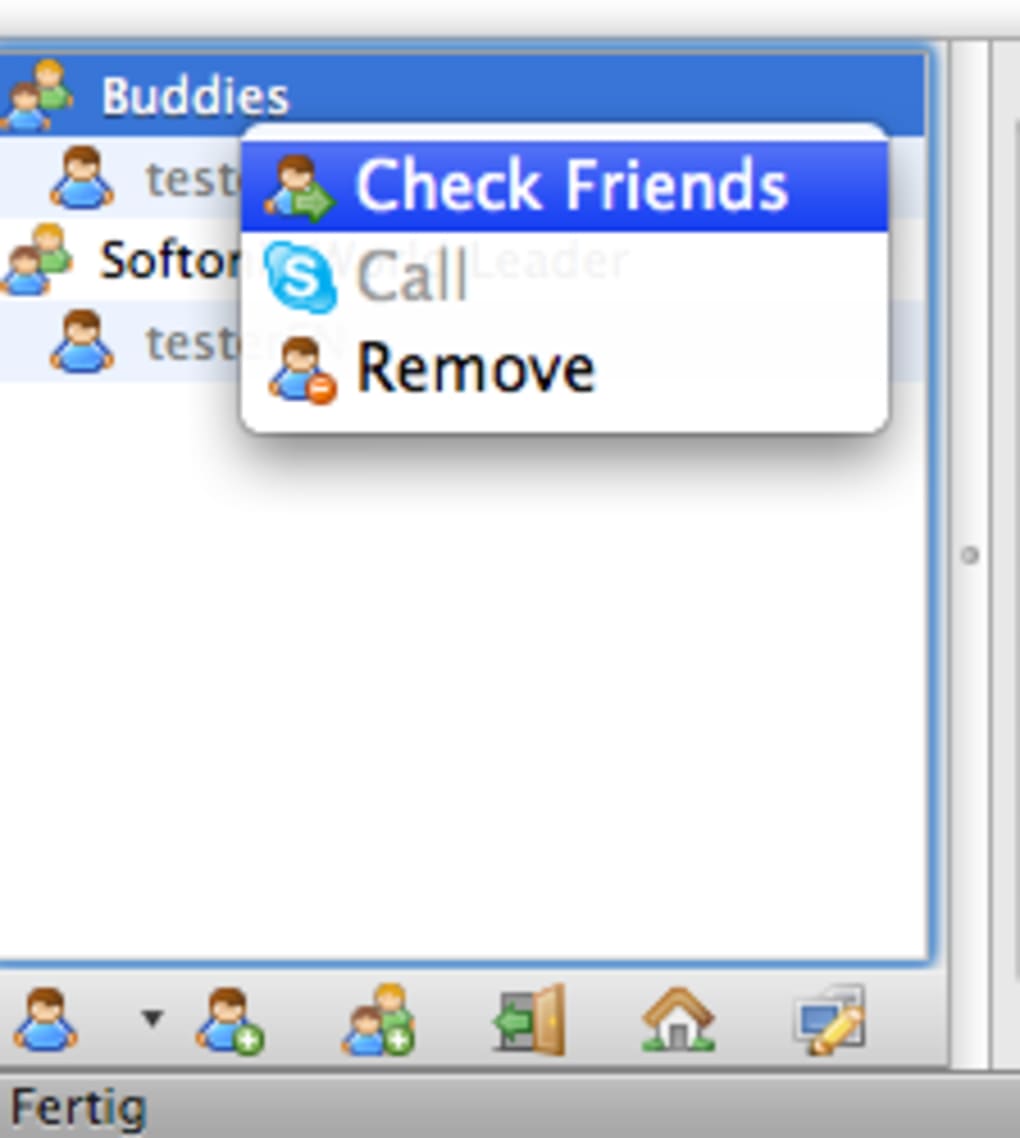
- Skype Integration: Link your Skype account to place voice calls from within the BuddyFox interface.
- Minimal Resource Footprint: Uses less than 5 MB of RAM, ensuring the browser stays fast and responsive.
- Cross‑Platform Compatibility: Works on any operating system that supports Firefox, including Windows, macOS, Linux, and Android (via Firefox for Android).
- Secure Login: All credentials are transmitted over HTTPS, providing a secure channel for authentication.
- Automatic Updates: The add‑on receives regular updates to stay compatible with the latest Firefox releases, including the recent Firefox 4.0 compatibility patch.
- Open‑Source Friendly: The codebase is publicly available, allowing developers to audit and suggest improvements.
Although the feature list may look short compared with heavyweight messengers like Slack or Discord, each item is purpose‑built for speed and privacy. BuddyFox deliberately avoids clutter—no file sharing, no emojis, no video calls—so that the core messaging experience stays fast and distraction‑free. The Skype integration is a noteworthy exception; it extends the add‑on’s functionality beyond text by letting you initiate voice calls without leaving the browser. For users who value a clean, low‑maintenance chat solution, these features combine to create a reliable, browser‑centric communication tool.
Installation, Setup & Compatibility
Getting BuddyFox up and running is a straightforward three‑step process. First, open Firefox and navigate to the official Mozilla Add‑ons page. Search for “BuddyFox” or follow the direct link provided by the developer.
Click the “Add to Firefox” button, and a pop‑up will request permission to access your browsing data and manage tabs. After granting permission, Firefox will download and install the extension automatically. A small BuddyFox icon appears on the toolbar, indicating the add‑on is active.
Second, create an account. Clicking the BuddyFox icon opens a login panel where you can either sign in with existing credentials or register a new username and password. The registration form asks for a basic email address (optional) and a password that meets standard security requirements—at least eight characters, with a mix of letters, numbers, and symbols. All data is transmitted via HTTPS, ensuring that your login information remains encrypted.
Third, add contacts. Once logged in, the left‑hand pane displays a “Add Friend” button. Enter the BuddyFox username of the person you wish to chat with, and an invitation is sent instantly. When the recipient accepts, they appear in your contact list, ready for conversation. For those who already use Skype, you can link your Skype account in the Settings menu, allowing you to call contacts directly from the chat window.
Compatibility: BuddyFox runs on any platform that supports the latest version of Firefox. This includes Windows 10 and later, macOS 10.13+ (High Sierra and newer), most Linux distributions with a recent Firefox build, and Android devices running Firefox for Android 68+. The add‑on is not available for iOS because Firefox on iOS does not support third‑party extensions due to Apple’s restrictions.
Updating BuddyFox is handled automatically by Firefox’s built‑in add‑on manager. When a new version is released—such as the recent compatibility update for Firefox 4.0—Firefox will prompt you to restart the browser to apply the changes. No manual download or installation steps are required, which keeps the user experience smooth and hassle‑free.
Pros and Cons
Pros
- Lightweight and fast; does not slow down browsing.
- Seamless integration with Firefox; no need to switch applications.
- Secure HTTPS login and encrypted communications.
- Simple, intuitive interface ideal for quick messages.
- Skype integration adds voice‑call capability.
- Cross‑platform support for all major desktop OSes.
- Automatic updates keep it compatible with the latest Firefox releases.
Cons
- Very limited feature set compared to full‑featured messengers.
- Requires friends to also install BuddyFox, creating a closed ecosystem.
- No native file sharing, emojis, or rich media support.
- Unavailable on iOS due to platform restrictions.
- Group chat functionality is basic; lacks moderation tools.
Frequently Asked Questions
Is BuddyFox free to use?
Yes, BuddyFox is completely free. You can download, install, and use the add‑on without any subscription or hidden fees.
Can I use BuddyFox on a Mac?
Absolutely. BuddyFox works with Firefox on macOS 10.13 (High Sierra) and newer. Just install the add‑on from the Mozilla Add‑ons store.
How secure is the chat communication?
All login credentials and chat data are transmitted over HTTPS, which encrypts the connection between your browser and BuddyFox servers. However, the chat itself is not end‑to‑end encrypted, so it is best used for non‑sensitive conversations.
Can I transfer my BuddyFox contacts to another messenger?
BuddyFox does not provide an export feature. You would need to manually add contacts to another messenger if you decide to switch.
What should I do if BuddyFox stops working after a Firefox update?
First, ensure that the add‑on is updated via the Firefox Add‑ons Manager. If the issue persists, check the developer’s support page for a compatibility patch or consider reinstalling the extension.
Conclusion & Call to Action
BuddyFox offers a niche but valuable solution for Firefox power users who crave a simple, secure way to chat without leaving their browser. Its minimal design ensures that you stay focused on the web content while still being able to ping friends, set a quick status, or make a voice call through Skype. The trade‑off is obvious: you give up many modern messenger conveniences—rich media, file sharing, and cross‑platform ubiquity—in exchange for speed and low resource consumption. If you already use Firefox as your primary browsing tool and you have a circle of friends willing to install the same add‑on, BuddyFox can be a handy addition to your daily workflow. For those looking for a full‑featured communication suite, a dedicated app like Slack or Discord may be a better fit.
Ready to try the most streamlined chat experience for Firefox? Download BuddyFox now, create your account, and start chatting directly from your browser today. Experience the convenience of instant messaging without the bloat—your tabs, your conversations, all in one place.
Rating: 4 out of 5 stars
BuddyFox delivers on its promise of a lightweight, browser‑integrated chat client. The simplicity is refreshing, though power users may miss richer features. Overall, it’s a solid choice for Firefox enthusiasts who want quick messaging without leaving their tabs.
- Pros: Fast, secure, seamless Firefox integration, Skype calling.
- Cons: Limited features, requires all participants to use the add‑on.







